SignNow: Sign & Fill PDF Docs
- 4.3
- Rating
- 5.00M
- Installs
- Free
- Price
 Analysis by App-foxy
I use SignNow when a document arrives at the least convenient moment: a form that needs completing on a phone, a contract that needs a signature before the end of the day, or a PDF that is easier to handle digitally than to print, scan, and send back. SignNow: Sign & Fill PDF Docs is a productivity app from SignNow built around that exact problem. It lets me work with PDF documents, fill fields, add an electronic signature, and send the finished file online.
That sounds simple, and in practice the simplicity is the main attraction. I do not need to turn a document workflow into a desktop project every time someone sends me a form. The app is free to install, is rated for Everyone, and has reached over five million installs. Its average rating is 4.5 from around eleven thousand ratings, with about two thousand written reviews, so it has clearly found a substantial audience among people who need mobile document handling rather than a full office suite.
How SignNow fits into real document work
I look at the real work around a signature, not just the moment of tapping one: a file has to open, the right version has to be clear, and the completed document has to reach the right person. In the next section, I focus on the small setup checks that can prevent avoidable delays, especially when I am handling paperwork on a phone.
You May Also Like

 Blood Strike: 2.5 Anniversary
Blood Strike’s Loadouts Turn Every Drop Into a Tactical Gamble
A close look at Blood Strike’s custom loadouts: how fast access to signature weapons reshapes its battle royale rhythm, rewards preparation, and narrows the gap between fights.

 Pandora - Music & Podcasts
Pandora’s Music Is Easy to Start, but Harder to Recover
Pandora’s strength is its low-effort path from a seed to a station. Its weak spot is how much confidence it asks you to place in connection, setup, and quiet recovery.

 8 Ball Pool
 Is Built on Rivalries, Rematches, and Routine
A close look at the rivalries, rematches, shared routines, and unanswered safety questions that turn a quick pool match into a persistent mobile community.

 Samsung Music
’s Quiet Strength Is Playing What You Already Own
Its reach comes less from spectacle than from dependable access to a personal library. That simplicity is both the app’s strongest retention engine and its ceiling.

 AccuWeather: Weather Radar
AccuWeather Review: A Quick, Clear Forecast for Everyday Decisions
For everyday plans, the best forecast is the one you can understand quickly. AccuWeather makes rain timing, radar, and local conditions easy to act on, with a few trade-offs.

 Hill Climb Racing
Why Hill Climb Racing Still Turns Crashes Into One More Run
A tiny car, a bumpy hill and one more upgrade: Hill Climb Racing keeps resurfacing because its simple chaos makes every near-miss feel personal.
More From Our News Desk



A focused tool instead of a general PDF reader
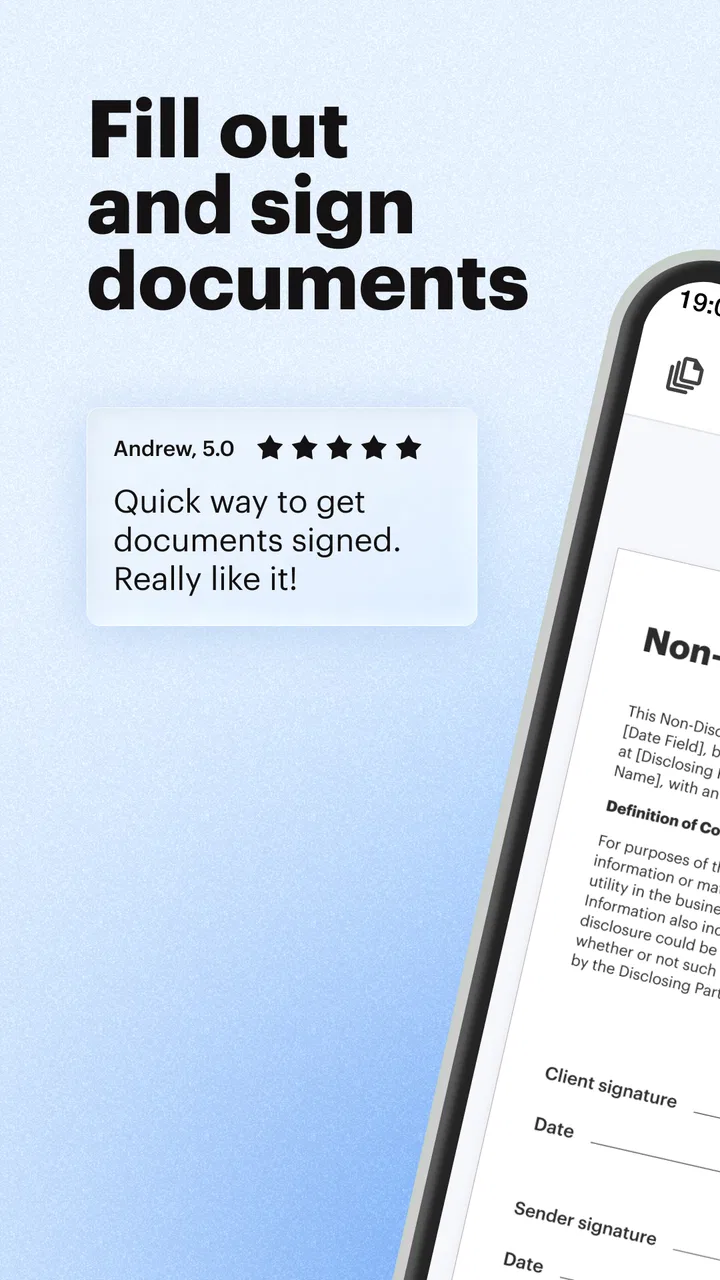
The first thing I noticed is that SignNow is not trying to be an all-purpose replacement for every office application. Its useful center is the document that needs action. Opening a PDF is only the beginning; the practical sequence is to inspect it, fill the relevant areas, sign it, and get it moving to the next person.
That focus makes it more useful than a basic PDF viewer when the document is interactive or requires a signature. A conventional reader may display a form well but leave me searching for separate tools to type into fields or draw a signature. SignNow brings those steps into one workflow, which matters when I am working from a phone and do not want to create temporary copies in several unrelated apps.
I also like the distinction between reading a document and preparing it for someone else. A person may send me a form with existing fields, while another situation may require me to create or adjust a document before sending it out for completion. The app is designed to cover both sides of that exchange: filling and signing for myself, as well as preparing documents for an online signing process.
The everyday scenario where it earns its place
Imagine receiving a rental form or a work-related agreement while away from a computer. I can open the PDF, check the wording, enter the requested details, place my signature, and send the result without printing anything. If another person must sign, the document can continue through an online process instead of becoming an email attachment that gets downloaded, printed, scanned, and returned.
The benefit is not just saving paper. It is reducing the number of handoffs where a file can be lost, an old version can be attached, or a signature can be placed on the wrong page. A mobile signing workflow is especially handy for freelancers, small teams, property-related paperwork, school forms, and routine business documents that do not justify a complicated desktop setup.
There is also a useful psychological advantage: the app encourages me to finish the task while the document is in front of me. With a standard file manager, I might open a PDF, realize it needs a signature, and postpone the job until I find a printer or desktop editor. SignNow turns that interruption into a short, contained task.
What the free entry point means
SignNow is free to install, which makes it easy to test whether its document workflow suits me before committing money. That free access is important because signing needs vary widely. Someone who signs one occasional form may approach the app very differently from a business user who sends documents regularly.
The app also contains in-app purchases ranging from $19.99 to $359.99 per item. Those figures show that the paid side is aimed at more than casual experimentation, but they should not be read as a single universal price for every user or workflow. The sensible approach is to begin with the free access, identify the exact tasks I need, and then check which purchase applies before paying.
In other words, the free installation provides a low-risk starting point, while the paid options are relevant when the app becomes part of a continuing signing process. I would not pay simply because I occasionally need to add a signature. I would consider paying when sending, preparing, or managing documents repeatedly saves enough time to justify a subscription or purchase choice shown inside the app.
Where the value comes from
The strongest value is consolidation. SignNow can replace a chain of small actions: locating a PDF, opening it in a reader, finding a separate annotation or signing tool, saving a new copy, and attaching that copy to an email. Each action is manageable, but together they create friction. Keeping the important steps in one app makes the process easier to repeat.
For a small business, that consistency can matter more than any single editing function. A document can be prepared in a familiar pattern, sent out for signatures, and handled digitally instead of being passed around as a collection of attachments. For an individual, the value is more modest but still clear: fewer trips between apps and fewer chances to forget the final sending step.
I find the app most convincing when the document is already close to finished. If the PDF only needs fields completed and signatures added, SignNow feels appropriately focused. It is less compelling when I need heavy rewriting, complex page design, spreadsheet calculations, or extensive visual editing. Those jobs belong to dedicated office and design tools.
Useful habits that make the workflow safer
One of my most useful habits is checking the entire document before signing rather than jumping straight to the first highlighted field. A signature workflow can make a form feel like a checklist, but the surrounding clauses and pages still matter. I review the document, confirm that the fields are in the expected places, and only then complete the signing step.
I also keep a clear naming habit for completed files. A signed document and an unsigned template can look nearly identical in a phone’s recent-files view. Giving the finished copy a recognizable name helps prevent me from sending the wrong version, especially when several forms arrive in the same week.
A third practical tip is to treat preparation and signing as separate decisions. If I am sending a document to someone else, I first check that the fields are understandable and placed where the signer will expect them. If I am only signing a document I received, I avoid changing the layout unnecessarily. This distinction reduces confusion and keeps the workflow appropriate to the role I have in the transaction.
Tradeoffs that are easy to overlook
The convenience of mobile signing comes with a need for attention. A phone screen is smaller than a laptop display, and that can make dense documents harder to inspect. I am comfortable using SignNow for straightforward forms, but I would rather review a long or legally important document on a larger screen before signing it.
Another tradeoff is that a focused signing app can feel limited beside a full PDF editor. If I need to rebuild a document, correct complicated formatting, compare multiple versions side by side, or make extensive content changes, I would choose a more comprehensive desktop tool first. SignNow is strongest at moving a document through completion, not at replacing every stage of document creation.
There is also a difference between personal convenience and organizational value. A single user may only need to sign occasionally, making paid features harder to justify. A team that sends documents repeatedly may gain much more from a consistent online process. The same app can therefore feel inexpensive in time saved for one person and unnecessary for another, even when both perform similar tasks.
Who should consider using it
I would recommend SignNow to people who regularly receive PDFs that need signatures or completed fields. Freelancers, independent contractors, property managers, recruiters, consultants, and small business owners are natural candidates because their work often involves documents moving between several people.
It is also a sensible choice for anyone who works away from a desk. If a phone is the device I have available when a form arrives, a dedicated signing workflow is more practical than waiting until I can access a printer or desktop editor. The Everyone content rating makes it broadly approachable for ordinary document tasks, although the seriousness of a document should always determine how carefully I review it.
Teams may appreciate the online handoff more than individuals do. When a document must travel from one signer to another, keeping the process digital can reduce attachment clutter and make the next action clearer. The value increases when the same kind of form appears repeatedly and the team wants a familiar routine instead of inventing a new method each time.
Who should skip it
I would skip SignNow if my main need is advanced PDF production rather than signing. Someone creating polished brochures, editing complex layouts, performing detailed document comparisons, or managing large content revisions will probably be happier with a dedicated PDF or office application. SignNow may still be useful at the final signing stage, but it should not be the only tool in that workflow.
I would also hesitate if I sign only one very simple document every few months and already have a reliable method on my computer. The free installation makes trying it easy, but the paid options may not deliver enough value for such occasional use. In that situation, the app is worth keeping only if its mobile convenience solves a problem I actually encounter.
Finally, I would not treat a convenient signature button as a substitute for understanding what I am signing. The app can streamline the mechanics, but it cannot decide whether the terms are fair, whether the recipient is correct, or whether the document is complete. Those checks remain my responsibility.
Compatibility and current app details
SignNow was released on June 11, 2012, and the current version is 9.17.1. It supports devices running Android 8.1 or later. That gives it a broad place on many still-used Android phones, though I would check the operating system before planning a workflow around it, particularly on an older spare device.
The developer is SignNow, which is also the name most closely associated with the service itself. The app’s store summary emphasizes scanning, editing, filling, creating electronic signatures, and sending PDF forms and documents online. In my view, that description matches the practical appeal: it is less about reading files passively and more about getting paperwork from “received” to “completed.”
The free price is helpful for evaluation, but the in-app purchase range means I would examine the available plan carefully before assuming that every useful workflow is included at no cost. I would first test the actions I need, then compare the purchase terms with how often I send or sign documents. That is the fairest way to judge value because the cost only makes sense in relation to repeated use.
My buy-or-skip verdict
My recommendation is to try SignNow if PDF signing is a recurring part of your life, especially when you need to work from a phone or send documents through an online process. The free entry point removes much of the risk, and the app’s focused workflow can save real time compared with printing, scanning, and juggling several separate tools.
I would not describe it as a universal PDF editor, and I would not automatically recommend paying for it to someone with rare signing needs. The paid value depends on frequency and on whether the broader document workflow matters to you, so I would test first and purchase only when the repeated convenience is clear.
My bottom line: SignNow is worth keeping when it turns recurring paperwork into a predictable mobile routine. It is a practical productivity app for filling, signing, and sending documents, with enough focus to be useful and enough limitations to make the choice of a larger PDF editor sensible for more demanding work.
FAQs for SignNow: Sign & Fill PDF Docs
01What is SignNow and what are its primary features?
SignNow is a versatile app designed to simplify the process of signing and filling PDF documents. It offers features such as electronic signatures, document editing, and secure sharing. Users can also integrate SignNow with cloud services like Google Drive and Dropbox, making it a convenient tool for both personal and professional document management.
02Is SignNow secure for handling sensitive documents?
Yes, SignNow prioritizes security by employing advanced encryption protocols to protect your documents. It complies with industry standards such as GDPR and eIDAS, ensuring your data remains confidential and secure. Additionally, SignNow provides audit trails for all document activity, offering transparency and accountability.
03Can SignNow be used offline, and if so, what are its limitations?
SignNow allows users to access and edit documents offline, which is beneficial for on-the-go situations without internet access. However, to send documents or synchronize changes across devices, an internet connection is required. Users should ensure their changes are saved locally before going offline to avoid data loss.
04Does SignNow offer integration with other applications?
Yes, SignNow seamlessly integrates with various applications, including Google Drive, Dropbox, and Salesforce. This integration supports streamlined workflows by allowing users to import and export documents directly from their preferred platforms. It enhances productivity by reducing the need to switch between multiple apps.
05What pricing options are available for SignNow, and is there a free trial?
SignNow offers multiple pricing tiers, including a free trial for new users to explore its features. The paid plans include options for individual, business, and enterprise users, each offering different levels of access and functionality. The free trial is a great way to test the app’s capabilities before committing to a subscription.
Pros
- Intuitive interface for easy navigation.
- Supports multiple file formats.
- Offline mode for document access.
- Secure with advanced encryption.
- Fast setup and user onboarding.
Cons
- Limited free version features.
- Occasional sync issues with cloud.
- Requires internet for some features.
- No bulk signature option available.
- High subscription cost for premium.

SignNow: Sign & Fill PDF Docs
Gallery